自分のスマホはハッキングされる?2026年のサイン・リスク・対処法
自分のスマホはハッキングされる?はい、そしてほとんどの被害者は気づきません。ハッキングされたスマホの7つの警告サイン、攻撃者の侵入経路、彼らを締め出す正確な手順を学びましょう。
TL;DR
はい、あなたのスマホはハッキングされる可能性があります。多くの場合、フィッシングリンク、悪意のあるアプリ、公共Wi-Fi、SIMスワップ攻撃、または情報漏洩で流出した使い回しのパスワードを通じて行われます。警告サインには急なバッテリー消耗、見慣れないアプリ、予期しない請求、要求していない2FAコードが含まれます。対処法は多層的な対応です。クリーンな端末からアカウントのパスワードを変更し、認証アプリを有効にし、インストール済みアプリを点検し、SIMスワップが疑われる場合はキャリアに連絡してください。
スマホを見ると、要求してもいない二段階認証コードが書かれたテキストメッセージが3件届いています。1時間前に満充電だったバッテリーは41%まで減っています。銀行アプリはもう一度ログインするよう求めてきます。これは偶然ではありません。誰かがあなたのデジタルライフの鍵を試しているのです。「自分のスマホはハッキングされるのか」という問いへの答えは不都合なものです。はい、そして多くの被害者はお金がすでに失われるまで気づきません。
FTC(米連邦取引委員会)の2024年Consumer Sentinel Networkレポートによると、米国の消費者はモバイル端末から始まった詐欺と個人情報盗難で10億3000万ドル以上を失いました。攻撃者はあなたのスマホに物理的にアクセスする必要はありません。必要なのはほんの一瞬の不注意、タップされたリンク、インストールされたアプリ、使い回されたパスワード、キャリアへの一本の電話だけで、あとはそれを足がかりにするだけです。
あなたのスマホは本当にハッキングされる?
はい。「ハッキング」という言葉は幅広い意味を含んでおり、どの種類かを理解することが重要です。対処法が変わってくるからです。最新のOSを実行している現代のスマホを、コードだけで侵害するのは実際にはかなり困難です。OSの脆弱性を突く攻撃は存在しますが、高価で希少であり、価値の高い標的のために温存されます。ほとんどの人が経験する日常的な「ハッキング」は、リモートのゼロデイ攻撃ではありません。アカウント乗っ取り、SIMハイジャック、短時間の物理アクセスを得た誰かによるスパイウェアのインストール、あるいは騙されてインストールしてしまった悪意のあるアプリです。
FBIの2024年インターネット犯罪報告書によると、モバイルを狙った攻撃はここ5年間毎年増加しており、フィッシングとアカウント乗っ取りが主要なカテゴリーです。脅威の本質は、あなたのiPhoneやAndroidデバイスが根本的に安全でないということではなく、それを操作している人間が騙されうるということであり、攻撃者は一度成功すればそれで十分なのです。
良いニュースもあります。ハッキングを可能にしているのと同じ人的要因が、防御をも可能にしているのです。成功する電話への攻撃のほとんどは、被害者が特定の行動、タップ、インストール、パスワード入力を行うことに依存しています。パターンを認識すれば、攻撃は成立しなくなります。
2026年のスマホハッキング手法
2026年のスマホ侵害の大多数を占める攻撃経路は5つあります。それぞれの仕組みを知ることが、すべてに対する防御の基礎となります。
フィッシングとスミッシングのリンク。テキストメッセージが銀行、キャリア、配送業者、税務当局を名乗ります。リンクは本物のログインページとほぼ同一の偽サイトに誘導します。あなたが認証情報を入力すると、攻撃者はそれを手に入れます。さらにあなたが転送してしまった2FAコードも手に入れます。Proofpointの2024年State of the Phishレポートによると、スミッシングの試みは前年比318%増加しており、無視できない割合の受信者が今もタップしてしまいます。
悪意のあるアプリ。非公式ストアからサイドロードされたアプリ、人気ゲームの改造版、偽の「システムアップデート」ツール、さらには公式ストアの審査をすり抜けてしまう悪質な例外的アプリでさえ、スパイウェア、ストーカーウェア、バンキング型トロイの木馬を運んでくる可能性があります。一度インストールされると、これらのアプリは広範な権限を要求し、認証情報、スクリーンショット、SMSの内容を静かに収集します。
SIMスワップ攻撃。攻撃者はあなたの携帯キャリアに連絡し、データ漏洩やSNSから収集した個人情報を使ってあなたになりすまし、キャリアの担当者を説得して、あなたの電話番号を攻撃者が管理するSIMカードに移してしまいます。数分のうちに、SMSベースの2FAコードはすべてあなたではなく攻撃者に届くようになります。FBI IC3によると、SIMスワップ詐欺だけで2024年に米国で4800万ドル超の報告損失を引き起こしており、この種の被害は多くの被害者が最初はキャリア側の問題だと考えるため、常に過小報告されています。
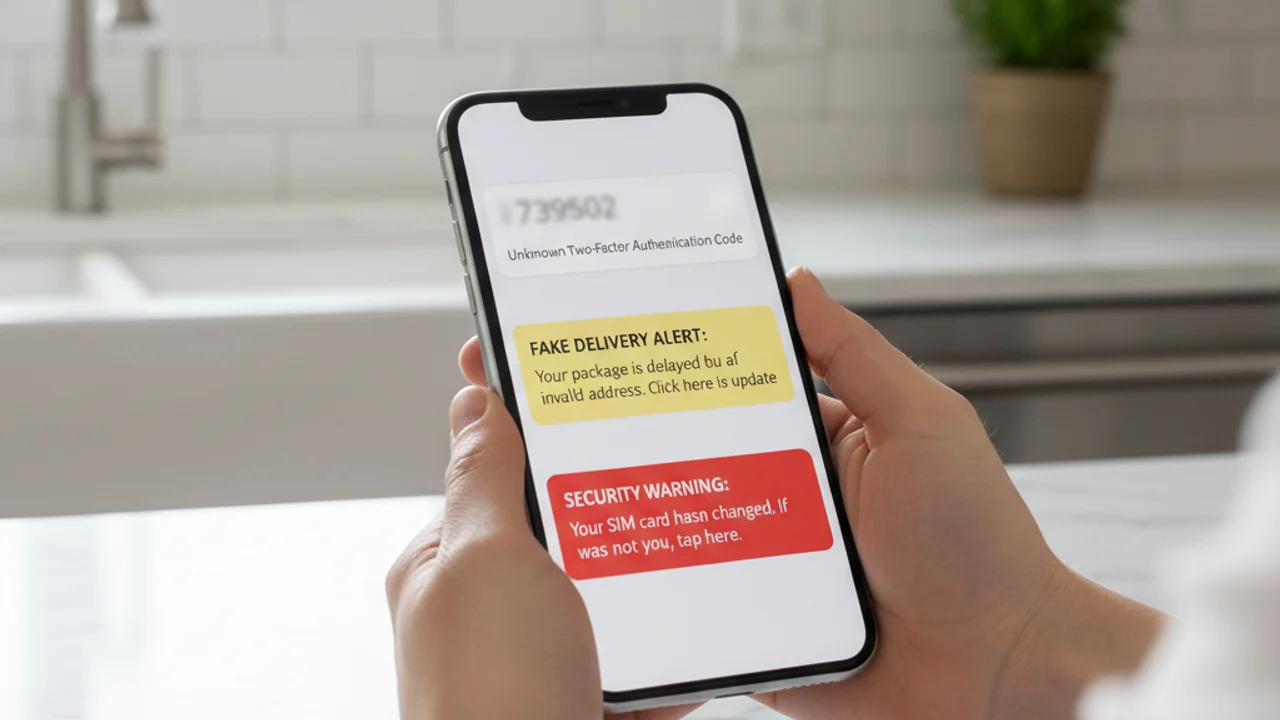
データ漏洩からの認証情報の使い回し。毎年、数十億件のメールアドレスとパスワードの組み合わせが情報漏洩で流出しています。複数のサイトで同じパスワードを使い回していると、漏洩したデータベースを購入した攻撃者は、あなたのメール、次にクラウドバックアップ、次にiCloudやGoogleアカウント、そしてあなたのスマホへと、端末に一切触れることなくログインできてしまいます。
公共Wi-Fiと不正アクセスポイント。カフェ、空港、ホテルに設置された不正なアクセスポイントは、暗号化されていない通信を傍受し、ウェブページに悪意のあるコンテンツを注入し、ログイン中のアプリからセッショントークンを収集することができます。現在ほとんどの主要アプリはHTTPSと証明書ピンニングを使用していますが、古いアプリ、暗号化されていないメール、キャプティブポータルのフィッシングページには依然として脅威が残っています。
スマホがハッキングされた7つのサイン
単一の異常だけで侵害を確定できることはほとんどありません。スマホは元々ノイズが多く、多くの症状には無害な説明がつくものです。しかし、以下のうち2つ以上が同じ週内に同時に現れた場合、それは強いシグナルです。
怪しいSMS、リンク、動画を受け取った?タップする前にtruvizy.appでスキャン。
Truvizyが攻撃を未然に検出する方法
スマホハッキングに対する最強の防御は、リンクをタップしたりアプリをインストールしたりする前に攻撃を止めることです。TruvizyのAI検出は、まさにこの決断の瞬間のために作られています。不審なテキスト、「荷物配達」の通知、「銀行セキュリティ」の警告、投資機会を持ちかける有名人の動画、うますぎる求人を持ちかけるリクルーターのメッセージが届いたら、リンクを貼り付けるか動画をアップロードしてtruvizy.appのTruvizyに送るだけで、数秒で判定結果が得られます。
Truvizyの多層分析は、モバイルフィッシングキャンペーンに共通するパターン、偽装されたログインドメイン、偽の信頼性を作り出すために使われるAI生成コンテンツ、使い回されたフィッシングテンプレート、不正なアプリのスクリーンショットなどを識別します。Truvizyは複数のキャンペーンにわたって、実際に活動中のSIMスワップ勧誘動画、偽の銀行ポータル、認証情報を狙うQRコードを検出してきました。判断に迷うリンク、画像、動画は、行動する前に必ずTruvizyにかけてください。判定結果は攻撃者が反応するよりも速く返ってきます。
スマホがハッキングされた場合の対処法
侵害が疑われる場合、対応の順序が重要です。以下の手順は、疑わしいスマホ自体からではなく、信頼できるクリーンな端末、ノートPC、タブレット、または家族のスマホから行ってください。
1. まずメインのメールパスワードを変更する。メールアドレスはほぼすべての他のアカウントの復旧経路です。攻撃者がそれを手に入れていれば、他のすべてのリセット試行が危険にさらされます。パスワードマネージャーを使って、長く一意な新しいパスワードを生成しましょう。
2. SMSの2FAから認証アプリに切り替える。SMSコードはSIMスワップ攻撃者や、侵害されたスマホ上のスパイウェアによって傍受される可能性があります。対応しているアカウントでは、Google Authenticator、Authy、またはハードウェアセキュリティキーを使用してください。 CISAの多要素認証ガイダンス によると、アプリベースまたはハードウェアベースのMFAはSMSよりもフィッシングに対して圧倒的に強い耐性を持っています。
3. キャリアに電話してポートアウトPINを要求する。これは、あなたの番号を新しいSIMに移す前に必要となる別の秘密コードです。米国の主要キャリア(Verizon、AT&T、T-Mobile)は現在すべてこれを提供しています。SIMスワップがすでに進行中だと疑われる場合は、キャリアに回線を即座にロックするよう依頼してください。
4. インストール済みアプリを点検する。iOSとAndroidの両方で、インストールされているすべてのアプリを確認し、見覚えのないものはアンインストールしてください。特にユーザー補助、デバイス管理者、通知リスナーの権限を持つアプリには注意してください。これらはストーカーウェアが動作するために必要とする権限です。
5. OSを更新する。最新のOSアップデートを直ちにインストールしてください。実際の攻撃で使われる多くの脆弱性はすでに修正済みであり、被害者は更新を怠ったために侵害されるのです。
6. 個人情報盗難を報告し、信用情報を確認する。金融口座が影響を受けた場合は、 identitytheft.gov で報告してください。このFTC公式ポータルは個別の復旧プランを作成し、信用情報に不正利用警告を設定できます。サイバー犯罪は ic3.gov でFBIに報告してください。
7. 最終手段としての工場出荷時リセット。削除しても見覚えのないアプリが再び現れる場合や、上記の手順を実行してもスマホの挙動が不安定な場合は、完全な工場出荷時リセットを行い、公式ストアから一つずつアプリを再インストールすることが、しつこいマルウェアを取り除く最も確実な方法です。
Key Takeaways
- 2026年のスマホハッキングのほとんどは奇抜なエクスプロイトではありません。フィッシングタップ、サイドロードアプリ、SIMスワップ、使い回しパスワードです。パターンを認識すれば攻撃を止められます。
- 2つ以上のサインが同時に現れたら注意:要求していない2FAコード、見慣れないアプリ、急なバッテリー消耗、携帯信号喪失、予期しないアカウント活動。
- 進行中のSIMスワップはWi-Fiは動作しているのに携帯信号が失われることで現れます。別の回線からすぐにキャリアに連絡してください。
- タップ、インストール、返信する前に、不審なリンク、画像、動画は必ずtruvizy.appのTruvizyを通してください。
専門家による分析メモ: 2026年のモバイル攻撃はますます連鎖するようになっています。フィッシングテキストが認証情報の窃取につながり、それがSIMスワップを可能にし、それがSMSで保護されたすべてのアカウントを次々と解錠していきます。この連鎖のどこか一箇所でも防御できれば、攻撃全体が崩れます。今すぐスマホの持ち主が取れる最も効果的な一手は、2FAをSMSから認証アプリやハードウェアキーに移行すること、そしてTruvizyのAI検出を使って行動する前に不審なコンテンツを確認することです。
10分以内にログインしようとしていないアカウントの2FAコードを含む3つのSMSを受け取ります。その後、Wi-Fiは接続されたままで携帯電話の信号が完全に失われます。正しい対応は?
- 1時間待って信号が戻るか見る, 基地局の問題かもしれない
- SMSに誰からか返信する
- アクティブなSIMスワップ攻撃として扱う:別のデバイスからキャリアに電話して回線をロックし、メールパスワードを変更する
- スマホを再起動して問題をクリアする
Answer: 複数の要求していない2FAコードに加え突然の携帯信号喪失は、SIMスワップ攻撃の典型的なパターンです。1分1秒が重要です。別のデバイスでキャリアに電話し、回線をロックしてから、メインメールから順にパスワードを変更してください。
データ侵害への対応:情報が漏洩したときの対処法 — スマホハッキングを可能にする認証情報漏洩, 攻撃者が行動する前にアカウントを保護する方法
スミッシング:SMSフィッシングの仕組みと止め方 — ほとんどのスマホ侵害を開始するSMS, その見分け方と対処法
個人情報を盗まれた, これからどうする? — 個人情報盗難被害者の完全な復旧ロードマップ(信用凍結と公式通報を含む)
FAQ
電話番号を知られただけでスマホはハッキングされる?
番号だけでは現代のスマートフォンを乗っ取るには不十分ですが、乗っ取りにつながる攻撃を仕掛けるには十分です:フィッシングSMS、キャリアへのSIMスワップ要求、なりすまし認証電話、標的型アカウント復旧フローなど。FBI IC3 2024年インターネット犯罪報告書によると、SIMスワップ詐欺だけで米国の被害者は4800万ドル超の報告損失を被りました。攻撃のほとんどは電話番号から始まります。
スマホがハッキングされた最も一般的なサインは?
最も信頼できるサインは:要求していない2FAコード、触っていないアカウントのパスワードリセットメール、インストールしていない見慣れないアプリ、待機中の急なバッテリー消耗や過熱、モバイルデータの急増、キャリアが知らないSIMにあなたの回線を表示、送っていないメッセージが友人に届く、などです。2つ以上同時に現れたら強い兆候です。
2026年、ハッカーは実際にどうやってスマホに侵入する?
2026年の4つの主要な侵入経路は:SMSやメッセージアプリ経由のフィッシングリンク(スミッシング)、公式ストア外でサイドロードされた悪意のあるアプリ、漏洩した使い回し認証情報による乗っ取り、キャリアレベルで電話番号を奪うSIMスワップ攻撃です。Verizon 2024 DBIRによると、人的要因が侵害の68%に関与しました。
怪しいリンクや動画がスマホハッキング詐欺の一部かどうか、Truvizyで確認できる?
はい。truvizy.appのTruvizyのAI分析は、不審なリンク、動画、画像をスキャンしモバイルフィッシングキャンペーンのパターンを検出します。日本では、IPA(情報処理推進機構)が公式のサイバー脅威情報源です。
スマホがハッキングされたと思ったら、最初に何をすべき?
クリーンなデバイス(信頼できるノートPCや家族のスマホ)に切り替えます。そこからまずメインメールのパスワードを変更し、次に銀行、次に電話番号を回復に使うすべてのアカウントを変更します。SMSの代わりに認証アプリで2FAを有効にします。キャリアに電話してSIMをロックし、ポートアウトPINを要求します。その後、疑わしいスマホにインストールされているアプリを点検し、信頼できるベンダーのウイルス対策スキャンを実行してください。