Truvizy Chrome扩展:为你的浏览器提供实时诈骗保护
了解Truvizy Chrome扩展如何在你浏览网页时提供实时诈骗检测和内容验证保护。
· Truvizy Research Team · 8 min read
TL;DR
Truvizy Chrome扩展将AI诈骗检测直接带入浏览器,浏览网页和观看视频时提供实时保护。扩展自动分析可疑内容并在发现威胁时发出警报。
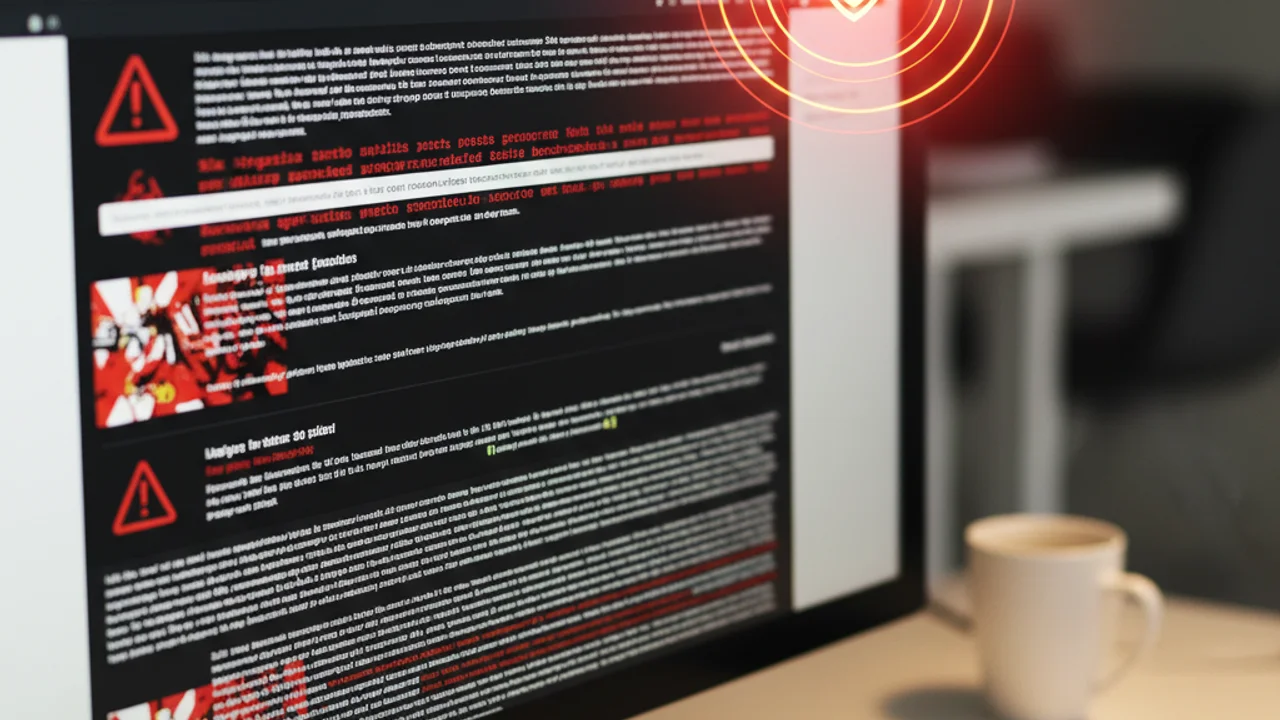
遇到可疑内容和实际验证它之间的差距正是诈骗得手的窗口。你在社交媒体上看到一些有问题的内容,你想去核实,但打开新标签页、导航到验证工具、粘贴URL感觉摩擦太大。Truvizy Chrome扩展的诞生就是为了彻底消除这个差距,将AI驱动的诈骗检测直接带入你的浏览体验。
扩展不会要求你离开页面去验证内容,而是将扫描直接集成到你遇到可疑视频和图片的平台中。信任指示器与内容一同显示,一键深度扫描无需跳转,URL信誉检查自动在后台进行。
Want to try Truvizy right now? Scan any video or image instantly, no extension needed.
为什么需要浏览器保护
大多数诈骗遭遇都发生在浏览器中,包括社交媒体信息流、视频平台、电子邮箱和即时通讯网页应用。将检测放在遭遇的当下,而不是需要一个单独的工作流程,从根本上改变了验证的成本结构。当检查内容只需点击一次而不是多步操作时,你会检查更多内容、识破更多骗局、养成更强的习惯。
Truvizy Chrome扩展正是围绕这一原则设计的,让验证变得如此轻松,以致于成为第二本能而非刻意的行为。想了解这种方式与其他 免费诈骗检测工具 的对比,请参阅我们的综合比较。
扩展的工作原理
安装Truvizy Chrome扩展只需不到一分钟:
Key Takeaways
- Visit the Chrome Web Store and search for "Truvizy".
- Click "Add to Chrome", the extension requests only necessary permissions.
- The Truvizy icon appears in your toolbar, click to sign in or start scanning.
- Quick Scan works immediately, even without an account.
- Sign in to unlock Deep Scans, scan history, and achievement progress.
扩展不会请求广泛的浏览历史访问权限,也不会索取超出扫描功能所需的权限。登录后可将你的积分、扫描历史和成就进度在网页平台和扩展之间连接起来。
实时检测功能
扩展最显眼的功能是在支持的平台上出现的快速扫描覆盖层。当你浏览YouTube、TikTok、Instagram、Facebook或X时,扩展会在视频和图片内容旁显示微妙的信任指示器。
这些指示器采用简单的交通灯系统:
- <strong>Green</strong>, No suspicious signals detected, likely safe to engage
- <strong>Yellow</strong>, Some indicators worth noting, consider a deeper look
- <strong>Red</strong>, Matches known scam patterns, exercise caution

支持的平台和内容类型
当快速扫描将某内容标记为可疑,或者你想进行彻底分析时,点击Truvizy图标或信任指示器即可直接从当前页面启动深度扫描。结果会显示在一个简洁的覆盖面板中,无需切换标签页,无需复制粘贴URL。
深度扫描结果包含完整的信任评分细分:视觉分析、音频评估、元数据发现和行为信号,所有内容以与网页平台相同的清晰格式呈现。
How Truvizy's Detection Engine Works: Understand the multi-layer AI analysis behind every scan
隐私和安全
除了媒体扫描,该扩展还提供自动URL信誉检查。当你即将访问一个匹配已知诈骗或钓鱼模式的链接时,扩展会在页面加载前显示警告。
这种被动保护可在你无需手动检查每个URL的情况下,捕获电子邮件、社交媒体帖子和消息应用中的恶意链接。URL检查依赖于Truvizy持续更新的威胁情报。
安装和设置
该扩展提供多项自定义选项,以匹配你的偏好:
- Choose <strong>which platforms</strong> display Quick Scan overlays
- Adjust the <strong>sensitivity</strong> of trust indicators
- Control whether URL warnings appear as <strong>full-page blocks or subtle notifications</strong>
- Set notification preferences for scan results

Privacy and Permissions: What the Extension Accesses
隐私是任何浏览器扩展都值得关注的问题。Truvizy对该扩展访问的内容完全透明:
- Reads page content <strong>only on supported platforms</strong> for scanning purposes
- <strong>Does not</strong> access browsing history or non-supported sites
- <strong>Does not</strong> track your activity across the web or collect personal data
- Scan requests include <strong>only</strong> the content URL or media data needed for analysis
- No cookies, personal information, or page content is transmitted
Tips for Getting the Most From the Extension
Key Takeaways
- Keep the extension updated for the latest detection capabilities.
- Use Quick Scan as a first filter, reserve Deep Scans for suspicious content.
- Right-click scanning works on images and videos on any website.
- Pair the extension with good habits: verify before sharing, be skeptical of emotional content.
如需全面的验证方法,请参阅我们的 AI与手动事实核查相结合指南 。
What's the biggest advantage of browser-level scam protection?
- It replaces antivirus software completely
- It eliminates friction, verification happens where you browse
- It blocks all websites automatically
- It makes your browser faster
Answer: Browser-level protection eliminates the friction between encountering suspicious content and verifying it. When checking takes one click instead of a multi-step process, you verify more and stay safer.
How to Verify Video Authenticity: Manual and AI-powered techniques for checking any video
AI Content Detection Guide: How AI-generated content is identified and flagged
How Truvizy Detects Scams: The multi-layer AI analysis behind every scan
FAQ
Truvizy Chrome扩展如何工作?
扩展在后台运行,当你浏览网页时自动分析可疑内容。它检测深度伪造视频、钓鱼网站、虚假商品列表和其他诈骗内容,并在发现威胁时显示实时警报。
扩展是免费的吗?
Truvizy Chrome扩展提供免费的基础保护,包括无限的快速扫描和实时警报。高级功能如深度扫描和详细分析报告可通过付费计划获取。
扩展会收集我的浏览数据吗?
Truvizy仅分析你主动扫描的内容和已知的恶意URL。扩展不会记录你的浏览历史、收集个人数据或向第三方分享信息。详细的隐私政策可在我们的网站上查看。
扩展支持哪些浏览器?
Truvizy扩展主要为Google Chrome设计,也支持基于Chromium的浏览器如Microsoft Edge和Brave。对其他浏览器的支持正在开发中。
扩展会影响浏览速度吗?
Truvizy扩展经过优化以最小化对浏览性能的影响。快速扫描在毫秒内完成,后台检查只在检测到可疑内容时才激活更深入的分析。