Bank Impersonation Text Scam 2026: The Fake Fraud Alert That Empties Your Account
Got a "suspicious charge, verify now" text from your bank? Learn how the 2026 bank impersonation text scam works and how to check it before you click or call.
TL;DR
A bank impersonation text scam is a fake fraud-alert message claiming your bank spotted a suspicious charge or transfer, pushing you to click a link or call a number to "verify." The link opens a lookalike login page, or the caller pressures you to move money to a "safe account." Real banks never ask you to move your money to protect it. Bank impersonation is one of the top-reported text scams of 2026. Preview the link, call the number on the back of your card instead, and scan the message with Truvizy before you act.
Your phone buzzes: "FreedomBank Alert: a $412.90 transfer to a new payee was authorized on your account. If this was not you, verify immediately: fb-secure-verify.com." Your stomach drops. You did not authorize anything. So you tap the link, land on a page that looks exactly like your bank, and start typing your login to stop the transfer. That is the whole trick. There was no transfer. The bank impersonation text scam manufactures a fake emergency so you hand over the keys to your real account before you have time to think.
Bank impersonation works because it hijacks the exact channel your bank really does use. Legitimate fraud alerts arrive by text, so a fake one blends right in. According to the FTC, impersonation of banks and well-known companies drives a large share of reported fraud losses, and the FBI Internet Crime Complaint Center (IC3) continues to log smishing and financial-impersonation as top complaint categories in its 2025 reporting. The message weaponizes a feeling you cannot fake your way out of: the fear that your money is disappearing right now.
Quick Answer
What Is a Bank Impersonation Text Scam?
A bank impersonation text scam is a smishing attack in which criminals pose as your bank to steal your login, card details, or your money outright. It usually opens with a "fraud alert": a text claiming an unexpected charge, a transfer to a new payee, a locked account, or a login from an unknown device. The message hands you a way to "fix" it, a link or a phone number, and both lead straight to the scammer.
This is the text-based cousin of the bank impersonation phone call, which spoofs your bank's caller ID. The text version has two big advantages for the criminal. It scales to millions of numbers at once, and the link inside can carry you to a pixel-perfect copy of your bank's login page. Because the message arrives on the same phone you bank with, and mimics the alerts you have opted into, your guard is already down before you read the first word. It shares its DNA with smishing text scams and payment-app fraud like Zelle and Venmo scams.
How the Fake Fraud Alert Works, Step by Step
Bank impersonation runs on a tight, repeatable script. Recognizing the sequence is how you break it:
- <strong>The bait text.</strong> "Did you attempt a $412 transfer? Reply Y or N," or "Your account is locked, verify at [link]." It names a real-sounding bank and a specific dollar amount to feel authentic.
- <strong>The hook.</strong> If you reply or click, you are pulled toward a lookalike login page or a callback number. Replying at all tells the scammer your number is live and you are engaged.
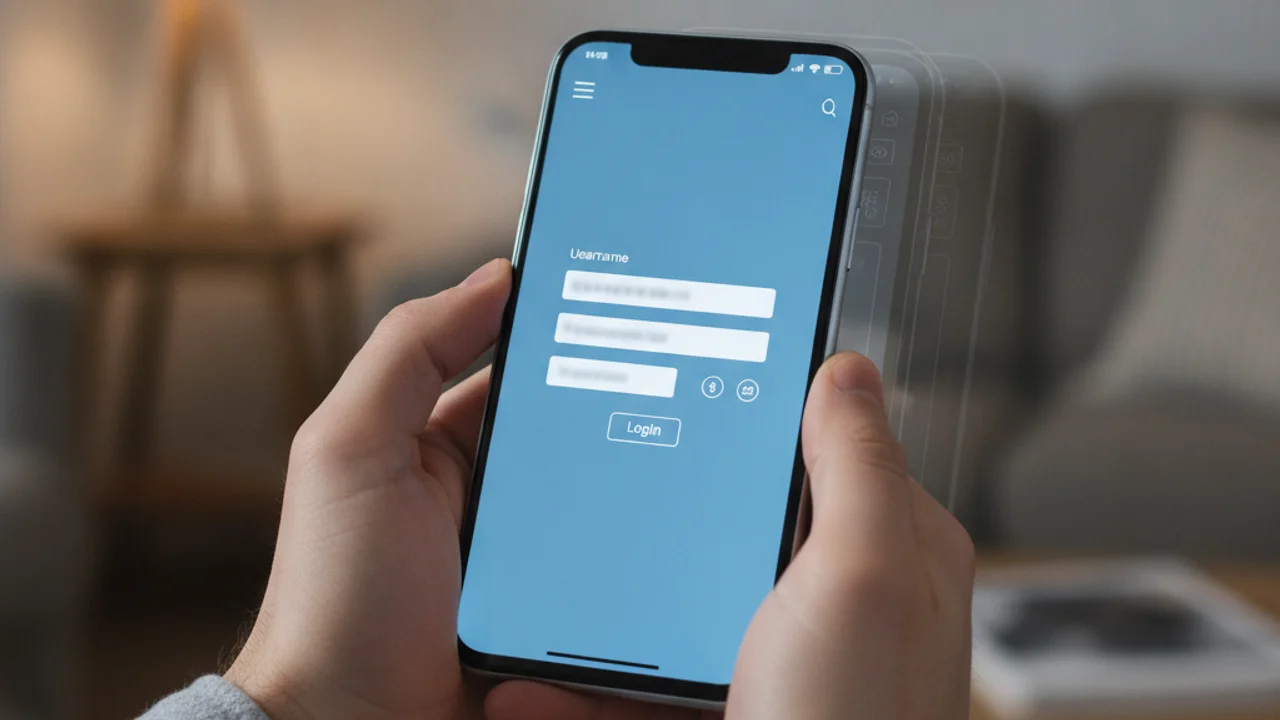
- <strong>The harvest.</strong> The fake page captures your username, password, and often a one-time code. Or the "fraud agent" on the phone talks you through confirming those same details "to cancel the transaction."
- <strong>The drain.</strong> With your login and code, they access the real account, add a payee, and move money. In the phone version, they convince you to move it yourself.
The "Move Your Money to a Safe Account" Trap
The most devastating version skips the fake website entirely. After the alert text, your phone rings. A calm "fraud investigator" from your bank confirms the scary details you just read, then delivers the twist: your account is compromised, and the only way to protect your balance is to transfer it to a new "safe account" or "holding account" they will set up for you right now.
It sounds like a rescue. It is a robbery. No real bank will ever ask you to move your money to keep it safe, because your bank can simply freeze the account from its side. The "safe account" belongs to the scammer, and once you push the transfer through your own banking app, there is no fraudulent charge to dispute, only an authorized payment you made. That is precisely why criminals love this play, and why the "safe account" line should end any call instantly.
Got a fraud-alert text or a caller telling you to move money? Scan the message on Truvizy before you click, call, or transfer.
6 Warning Signs a Bank Fraud Alert Is Fake
Any one of these is a reason to stop. Two or more together, and you are almost certainly looking at a bank impersonation text scam.
- <strong>A link to "verify" your account.</strong> Real banks tell you to log in through the official app, not through a link in a text.
- <strong>A phone number to call inside the message.</strong> Scammers plant their own number so you reach them, not the bank.
- <strong>Pressure and a ticking clock.</strong> "Act now or your account will be closed" exists to stop you from thinking.
- <strong>A request for a password, PIN, card number, or one-time code.</strong> No legitimate bank employee will ever ask for these.
- <strong>"Move your money to a safe account."</strong> This phrase is a scam every single time.
- <strong>A lookalike domain.</strong> The link is a misspelled brand, an extra word, or a shortened URL that does not match your bank's real site.
How to Check a Bank Text Before You Click or Call
The safest move is also the simplest: never use the contact details in the message. If a text or call raises the alarm, you take back control by reaching your bank on a channel you already trust.
Call the number on the back of your card. It is printed there for exactly this reason. Ask the representative directly whether there is any alert or hold on your account. If the text was real, they will see it; if it was not, you just dodged a theft.
Open the official app, not the link. Log in the way you always do and check your activity. A genuine problem will show up inside your account. A phantom "transfer" from a text will not exist.
Inspect the link and message before trusting either. A lookalike login page can be nearly perfect on a small screen. Submitting the suspicious text or link to truvizy.app gives you a clear read on whether it is steering you toward a fake bank page, before any of your details leave your phone.
How Truvizy Detects Bank Impersonation Text Scams
The dangerous moment in bank impersonation is the few seconds between reading the alert and tapping the link, and that is exactly where Truvizy is built to help. Instead of trusting a fraud-alert text at face value, you can paste the message or the link into Truvizy's AI-powered detection. Truvizy's multi-layer analysis weighs the wording, the urgency cues, and the destination against known bank impersonation patterns, then returns a plain verdict, so you know whether you are looking at your real bank or a spoof before you type a single character.
That early check is the whole point. A bank impersonation page is engineered to look identical to the real login screen, and the tells that would give it away on a desktop are hidden on a phone. Run the message through Truvizy at truvizy.app, and you get an answer while you can still walk away clean. In a year when bank impersonation is one of the most-reported text scams, verifying before you act is the difference between a shrug and a drained account.
What to Do If You Already Responded
If you only received the text and did nothing, you are fine, just delete it and move on. If you clicked, entered details, or moved money, act fast and do not blame yourself. These scams are designed to beat careful people.
Call your bank on the number from your card. Report the fraud, freeze or reissue affected cards, and ask them to reverse or recall any transfer immediately. Speed matters most in the first hours.
Lock down your login. Change your online banking password from the official app, turn on two-factor authentication, and never approve a login prompt or read back a one-time code to anyone who calls you afterward claiming to help.
Report it. Forward the scam text to 7726 (SPAM) to alert your carrier, then file with the FTC at reportfraud.ftc.gov and the FBI Internet Crime Complaint Center at ic3.gov. These reports feed the databases investigators and banks use to shut down the campaigns.

Key Takeaways
- A bank impersonation text scam fakes a fraud alert about a suspicious charge or transfer to push you toward a lookalike login page or a scammer's phone number.
- The "move your money to a safe account" line is a scam every time, because no real bank ever asks you to transfer money to protect it.
- Never use the link or number in the message; call the number on the back of your card and log in through your official app instead.
- Scan a suspicious bank text or link with Truvizy before you act, and if you already responded, call your bank, lock your login, and report it fast.
Expert analysis note: Bank impersonation has become one of the highest-loss text scams of 2026 because it exploits a legitimate channel, the real fraud alerts consumers have been trained to trust, and layers a spoofed login page or a "safe account" call on top. Its damage outpaces the average text scam because it targets primary bank accounts directly rather than a single card. Truvizy's role is preventive: verify the message before you click, call, or transfer, because a payment you authorize under pressure is far harder to claw back than a disputed charge.
You get a text saying a $412 transfer was authorized on your account, with a link to cancel it. Moments later, a caller says they are from your bank's fraud team and you should move your balance to a safe account. What is the safest move?
- Tap the link to cancel the transfer before it clears
- Follow the caller and move your money to the safe account they set up
- Hang up, do not tap the link, and call the number on the back of your card to check
- Reply to the text asking for more details first
Answer: The text and the call are two halves of the same scam. No real bank asks you to move money to a safe account or to verify through a texted link. Ignore both contact methods and reach your bank on the number printed on your card. If unsure, scan the message on Truvizy first.
Frequently Asked Questions
Will my bank text me about a suspicious charge?
A real bank may send a fraud-alert text asking you to reply YES or NO to a transaction, but it will never text you a link to "verify" your account or ask for your password, PIN, or a one-time code. It will also never tell you to move money to a "safe account." If a text does any of those things, it is a bank impersonation scam. When unsure, call the number printed on the back of your card.
How do I know if a fraud alert text is really from my bank?
Check three things. First, does it contain a link or a phone number you are told to call? Real alerts rarely do. Second, does it create urgency or ask you to confirm login details, a code, or your card number? That is a scam tell. Third, does the sender domain match your bank exactly? Scammers use lookalike domains. When in doubt, scan the message with Truvizy and log in through your official app instead.
What is the "move your money to a safe account" scam?
It is the most damaging version of bank impersonation. After a fake fraud alert, a "bank investigator" calls and says your account is compromised, so you must transfer your balance to a new "safe" or "holding" account they control. No real bank ever asks you to move money to protect it. The account is the scammer's, and once you send it, the money is gone. Hang up and call your bank directly.
Should I call the number in a bank fraud alert text?
No. Scammers put their own number in the text so you reach them, not your bank. If you call it, a convincing "fraud department" will walk you into confirming details or moving money. Always call the number printed on the back of your debit or credit card, or the one on your bank's official website. According to the FTC, this single habit stops most bank impersonation scams cold.
What do I do if I clicked a fake bank text link?
Act fast. If you entered any details, call your bank using the number on your card, report fraud, and freeze or reissue the card. Change your online banking password and turn on two-factor authentication. Watch for follow-up "recovery" calls, which are often the same scammers. Report the message to your bank, forward the text to 7726 (SPAM), and file with the FTC at reportfraud.ftc.gov and the FBI at ic3.gov.
Related reading: Zelle and Venmo Scams: Why Your Bank Won't Help You — How payment-app fraud works and why authorized transfers are so hard to reverse
Related reading: Is This Text a Scam? Red Flags in Every Suspicious SMS — A field guide to spotting the tells in any suspicious text message
Related reading: Smishing Text Scams: How to Spot a Fake Text Message — Why scam texts work and how to shut them down before you tap
Frequently Asked Questions
Will my bank text me about a suspicious charge?
A real bank may send a fraud-alert text asking you to reply YES or NO to a transaction, but it will never text you a link to "verify" your account or ask for your password, PIN, or a one-time code. It will also never tell you to move money to a "safe account." If a text does any of those things, it is a bank impersonation scam. When unsure, call the number printed on the back of your card.
How do I know if a fraud alert text is really from my bank?
Check three things. First, does it contain a link or a phone number you are told to call? Real alerts rarely do. Second, does it create urgency or ask you to confirm login details, a code, or your card number? That is a scam tell. Third, does the sender domain match your bank exactly? Scammers use lookalike domains. When in doubt, scan the message with Truvizy and log in through your official app instead.
What is the "move your money to a safe account" scam?
It is the most damaging version of bank impersonation. After a fake fraud alert, a "bank investigator" calls and says your account is compromised, so you must transfer your balance to a new "safe" or "holding" account they control. No real bank ever asks you to move money to protect it. The account is the scammer's, and once you send it, the money is gone. Hang up and call your bank directly.
Should I call the number in a bank fraud alert text?
No. Scammers put their own number in the text so you reach them, not your bank. If you call it, a convincing "fraud department" will walk you into confirming details or moving money. Always call the number printed on the back of your debit or credit card, or the one on your bank's official website. According to the FTC, this single habit stops most bank impersonation scams cold.
What do I do if I clicked a fake bank text link?
Act fast. If you entered any details, call your bank using the number on your card, report fraud, and freeze or reissue the card. Change your online banking password and turn on two-factor authentication. Watch for follow-up "recovery" calls, which are often the same scammers. Report the message to your bank, forward the text to 7726 (SPAM), and file with the FTC at reportfraud.ftc.gov and the FBI at ic3.gov.