Is This Website Legit? 7 Free Ways to Check Any URL in 2026
Not sure if a website is legitimate? Use these 7 free methods to verify any URL before you shop, sign up, or enter your payment details, works in under 60 seconds.
· By Truvizy Research Team · 8 min read
TL;DR
Scam websites are professionally designed to look indistinguishable from real stores and services. Before entering any payment or personal data, verify the URL, check domain age and registration, run it through a safety scanner, and look for verifiable contact details. These 7 free steps take under 60 seconds and can save you from fraud.
You found a deal that seems almost too good to pass up, designer sneakers at 80% off, a gadget you have been searching for at half the price on a site you have never seen before. The design looks professional, there is a padlock in the browser bar, and the checkout process mirrors every legitimate store you have used. You enter your card number and hit submit. Two weeks later, the package never arrives, and the "support email" bounces. You have just become one of the 2.5 million Americans who fall for scam websites every year.
Quick Answer
What Makes a Website Legitimate?
A legitimate website has a verifiable identity behind it. That means a real business registration, a domain registered more than a year ago under a traceable entity, consistent contact information that matches public records, and a reputation built over time through customer reviews on independent platforms. None of these things cost money to verify, they just require 60 seconds of scrutiny before you hand over your card number.
Scam websites invest in the visual layer: professional themes, stolen brand logos, polished product photography copied from Amazon or the manufacturer's official pages. What they cannot fake easily is history. A store registered three weeks ago with a privacy-protected WHOIS record, a PO box as its "address," and zero reviews anywhere online is almost certainly fraudulent, regardless of how polished the homepage looks.
7 Free Ways to Check If a Website Is Legit
These methods take under 60 seconds combined and require no special tools, just a browser.
1. Read the URL character by character. Scam sites register domains that look like real ones at a glance: "arnazon.com," "paypa1.com," or "amazon-support-billing.com." Check every character and every subdomain. The actual domain is the part immediately before ".com" or ".org", everything before that is a subdomain controlled by the domain owner, which could be a scammer.
2. Check domain age with WHOIS. Visit whois.domaintools.com or lookup.icann.org and enter the domain. Look at "Created Date." Legitimate retailers and service providers have domains at least one to two years old. A domain registered in the last 90 days selling electronics, luxury goods, or financial services is a major red flag. Also note whether contact details are hidden behind a privacy service, real businesses usually have registered contact information.
3. Run it through Google Safe Browsing. Go to transparencyreport.google.com/safe-browsing/search and paste the URL. Google's database flags known phishing, malware, and deceptive sites in real time. This check takes 10 seconds and catches thousands of known scam URLs.
4. Scan it on VirusTotal. VirusTotal.com runs the URL through 90+ security engines simultaneously. Even one or two "malicious" flags from reputable engines is enough to walk away. Zero flags doesn't guarantee safety for brand-new domains that haven't been reported yet, but multiple clean results are a good sign.
5. Search for reviews on independent platforms. Search "[site name] reviews" on Google and check Trustpilot, the Better Business Bureau (BBB), and Reddit. Look for patterns: many reviews in a short window are often fake. Legitimate businesses accumulate reviews gradually over time. If there are no reviews anywhere for a site claiming to have thousands of happy customers, something is wrong.
6. Verify contact information independently. Copy the phone number or email address from the website's "Contact" page and paste it into Google. Does it appear on any legitimate business directory? Call the number, real businesses answer or have voicemail that identifies the company. A generic "contact us" form with no phone number, no physical address, or an address that maps to a vacant lot in Google Maps is a clear warning sign.
7. Read the return and refund policy. Scam stores often copy-paste generic policies that contradict their actual behavior, or set unrealistic return conditions (48-hour return window, customer pays international shipping to a fake address). Legitimate retailers have clear, consistent policies that match what customer reviews describe. No return policy at all is an automatic disqualifier.
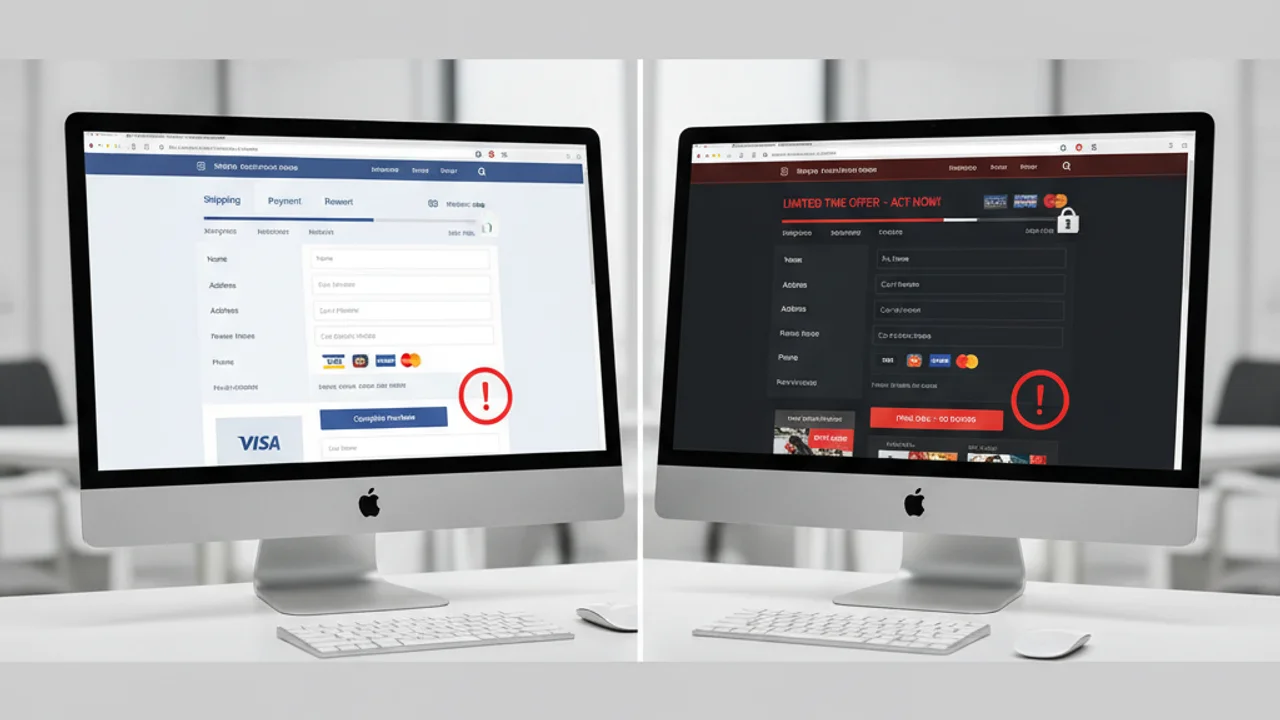
Red Flags That Signal a Scam Website
Even a single one of these signals warrants extra scrutiny. Multiple signals together mean you should close the tab immediately.
Unsure about a website? Paste the URL into Truvizy for an instant safety check before you shop.
How Truvizy Detects Scam Websites
Truvizy's AI-powered analysis goes beyond simple URL blacklists. When you submit a link, Truvizy's multi-layer detection engine examines domain reputation signals, content manipulation indicators, redirect chains, and known fraud patterns associated with similar URLs. The system cross-references against databases of reported scam sites and applies pattern recognition trained on millions of verified fraud cases to generate a safety assessment in seconds.
This is particularly valuable for newly registered scam domains that have not yet appeared in traditional blacklists. Truvizy's proprietary scoring identifies behavioral patterns, the kind of signals that distinguish a brand-new legitimate business from a brand-new fraud operation, that simple blacklist lookups miss entirely. Scan any suspicious URL at truvizy.app before you enter your information.
What to Do If You Shopped on a Fake Website
Speed matters. The faster you act, the better your chances of recovering funds or limiting the damage.
Contact your bank or card issuer immediately. Report the transaction as fraudulent and request a chargeback. Under the Fair Credit Billing Act, credit card issuers are required to investigate disputed charges. Debit card disputes have fewer protections, but most banks still process them. Do this within 24 hours if possible, the sooner the better.
Change passwords for any accounts using the same credentials. If you created an account on the scam site using an email and password combination you use elsewhere, change that password on every platform immediately. Enable two-factor authentication everywhere.
Place a fraud alert on your credit file. Contact Experian, Equifax, or TransUnion and request a fraud alert. This makes it harder for someone using your stolen information to open new accounts. One bureau is required to notify the other two.
Report the site. File a report with the FTC at reportfraud.ftc.gov, the FBI's Internet Crime Complaint Center at ic3.gov, and Google Safe Browsing (to get the site flagged for future users). Your report directly helps protect others.

Key Takeaways
- HTTPS and a padlock do NOT prove a website is legitimate, 84% of phishing sites use HTTPS.
- Check domain age before buying: legitimate retailers have 2+ year old domains with traceable registration.
- Run any unfamiliar URL through Google Safe Browsing and VirusTotal before entering payment details.
- If you were scammed, contact your bank within 24 hours to initiate a chargeback and report to the FTC.
Expert analysis note: The scam website threat is evolving faster than traditional blacklist defenses can track. In 2025, the average time between a scam site going live and appearing in major security databases reached 9 days, long enough to defraud thousands of victims. Combining manual verification steps with AI-powered tools like Truvizy closes this detection gap and gives consumers a realistic chance of identifying fraud before it happens.
You find a website selling the latest gaming console for $89 (retail: $499). The site has a padlock, professional design, and five-star reviews on its own homepage. What is the most important next step before buying?
- Buy it, the padlock means the site is secure and the reviews confirm it is real
- Check domain age, search for independent reviews, and run the URL through VirusTotal
- Email their customer service to ask if they are legitimate
- Pay with cryptocurrency so you get the best deal safely
Answer: A padlock only encrypts the connection, it does not validate the business. Reviews on the site itself can be fabricated. The price alone (82% below retail) is a massive red flag. Always check domain age, seek reviews on independent platforms like Trustpilot, and run the URL through a safety scanner before any purchase.
Frequently Asked Questions
How can I check if a website is legitimate for free?
Check the URL for subtle misspellings, run it through Google Safe Browsing or VirusTotal, look up domain age on whois.domaintools.com, search for reviews on Trustpilot or the BBB, and verify there is a real phone number and physical address. Truvizy can also scan suspicious links to flag fraud indicators in seconds at truvizy.app.
Is a padlock (HTTPS) proof that a website is safe?
No. The padlock only means the connection is encrypted, it does not verify that the site is legitimate or owned by a real business. According to the FBI, over 84% of phishing sites used HTTPS in 2024. A padlock is necessary but not sufficient to prove a site is trustworthy. Always verify the full domain and business identity independently.
What are the clearest signs of a fake shopping website?
The most reliable red flags are: a domain registered less than 6 months ago, prices 60-90% below retail, no verifiable return policy or contact address, stolen product images from legitimate retailers, and checkout pages that redirect to unfamiliar third-party payment processors. Any one of these alone warrants walking away.
Can Truvizy detect fake websites and scam URLs?
Yes. Truvizy's AI-powered analysis scans URLs and linked content for fraud signals including domain reputation, content manipulation, suspicious redirects, and known scam patterns. Submit any link at truvizy.app to get an instant safety assessment before you share personal information or make a purchase.
What should I do if I already gave my information to a fake website?
Act immediately: call your bank or card issuer to report the transaction and request a chargeback. Change passwords for any accounts using the same credentials. Place a fraud alert with the three major credit bureaus (Experian, Equifax, TransUnion). Report the site to the FTC at reportfraud.ftc.gov and to the FBI's IC3 at ic3.gov to help protect others.
Related reading: How to Spot a Fake Online Store: 9 Warning Signs: Detailed breakdown of how fraudulent e-commerce sites are built and how to identify them
Related reading: How to Get Your Money Back After Being Scammed: Step-by-step recovery guide for victims of online fraud
Related reading: QR Code Scams: How Scanning Can Drain Your Bank Account: How fraudsters use fake QR codes to redirect you to scam sites
Frequently Asked Questions
How can I check if a website is legitimate for free?
Check the URL for subtle misspellings, run it through Google Safe Browsing or VirusTotal, look up the domain age on Whois.domaintools.com, search for reviews on Trustpilot or the BBB, and verify there is a real phone number and physical address. Truvizy can also scan suspicious links to flag fraud indicators in seconds.
Is a padlock (HTTPS) proof that a website is safe?
No. The padlock only means the connection is encrypted, it does not verify that the site is legitimate or owned by a real business. According to the FBI, over 84% of phishing sites used HTTPS in 2024. A padlock is necessary but not sufficient to prove a site is trustworthy.
What are the clearest signs of a fake shopping website?
The most reliable red flags are: a domain registered less than 6 months ago, prices 60-90% below retail, no verifiable return policy or contact address, stolen product images from legitimate retailers, and checkout pages that redirect to unfamiliar third-party payment processors.
Can Truvizy detect fake websites and scam URLs?
Yes. Truvizy's AI-powered analysis scans URLs and linked content for fraud signals including domain reputation, content manipulation, suspicious redirects, and known scam patterns. Submit any link at truvizy.app to get an instant safety assessment before you share personal information.
What should I do if I already gave my information to a fake website?
Act immediately: call your bank or card issuer to report the transaction and request a chargeback. Change passwords for any accounts using the same credentials. Place a fraud alert with the three major credit bureaus (Experian, Equifax, TransUnion). Report the site to the FTC at reportfraud.ftc.gov and to the FBI's IC3 at ic3.gov.