QR Code Scams (Quishing): The Threat Hiding in Plain Sight
QR code scams, called quishing, are surging in 2026. Learn how fake QR codes steal your money and data, where scammers place them, and how to scan safely before tapping.
· By Truvizy Research Team · 8 min read
TL;DR
Quishing is QR code phishing: scammers replace legitimate QR codes on restaurant menus, parking meters, package labels, and public posters with codes that redirect to credential-stealing websites. Because your phone camera previews only a tiny URL before you open it, most people never notice the switch. Always check the destination URL before opening any QR code link, use a QR scanner with built-in safety checks, and when in doubt type the official web address manually.
You pull into a parking garage, scan the QR code on the payment kiosk, and enter your credit card to pay for your spot. The transaction seems to go through. Later that evening, your bank calls about three fraudulent charges from overseas. You never handed your card to anyone. You never clicked a suspicious email. All you did was scan a QR code, and that was enough. Welcome to quishing: the fastest-growing scam most people have never heard of.
QR codes were designed for convenience, scan and go. But that same frictionless experience that makes them appealing to businesses also makes them dangerous in the hands of scammers. Unlike a suspicious email link you can hover over to preview, a QR code reveals nothing until after you have already pointed your camera at it. By the time you see the destination URL, many victims have already tapped "open." That split-second gap is exactly what quishing exploits.
What Is Quishing?
Quishing, a portmanteau of "QR" and "phishing", is the practice of embedding malicious URLs inside QR codes to redirect victims to fraudulent websites. The scam can take several forms: physically replacing a legitimate code with a fake sticker in public spaces, sending QR codes via email or text that bypass traditional spam filters, or creating fake documents (invoices, parking citations, package notices) that prominently feature fraudulent codes.
The FBI's Internet Crime Complaint Center flagged quishing as an emerging priority threat in 2024, and the numbers have only worsened since. Cybersecurity firms documented a 587% increase in QR-code-based phishing attacks between 2024 and 2025. The technique has become popular with organized fraud rings because it is cheap to execute, hard to detect at scale, and specifically engineered to circumvent email security tools that cannot read image-embedded URLs.
Quishing is part of a broader shift in scam tactics toward mobile-first attacks. As we documented in our analysis of how AI is accelerating scam sophistication, fraudsters are specifically targeting the tools and habits people have adopted during the smartphone era, and QR codes are one of the most widely adopted mobile habits of the past five years.
How QR Code Scams Work
The mechanics of a quishing attack are deceptively simple. An attacker generates a QR code that encodes a malicious URL, typically a cloned version of a bank login page, payment portal, or government service. The fake page is designed to look identical to the legitimate one, capturing any credentials or payment information the victim enters.
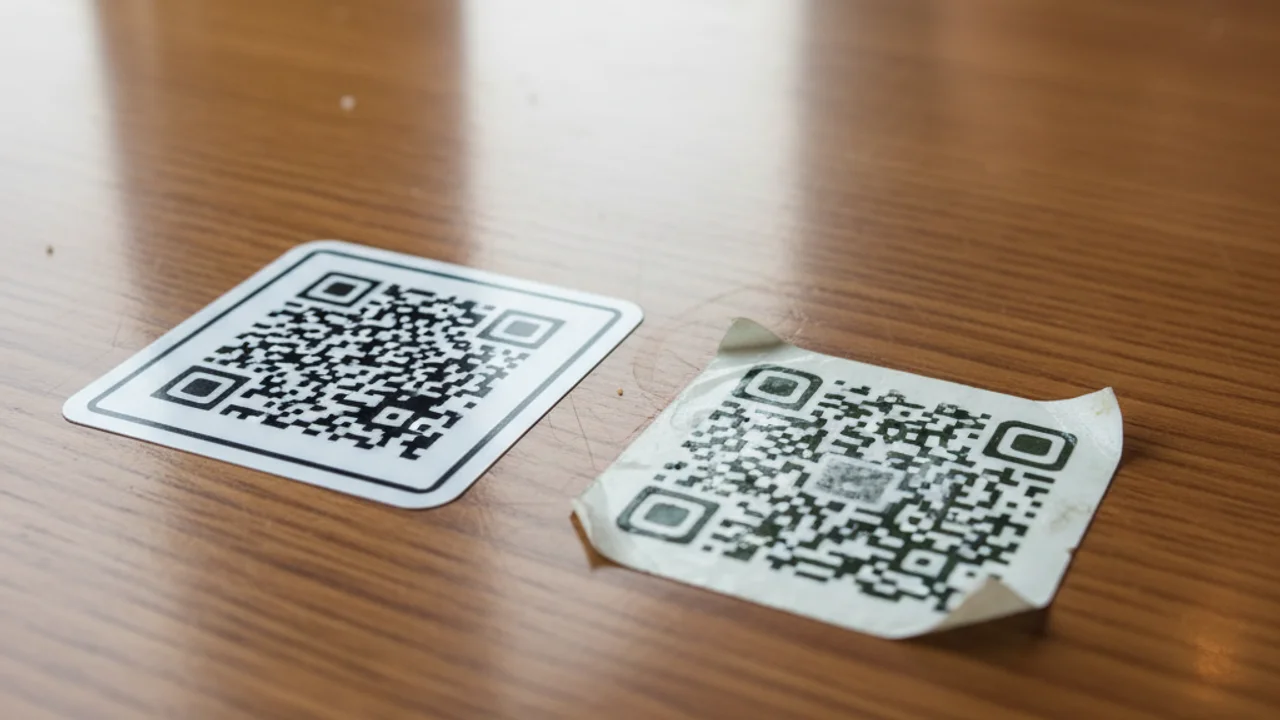
In physical attacks, the scammer prints the fraudulent code on a sticker and places it over the legitimate code on a parking meter, restaurant table tent, or public bulletin board. The switch takes seconds. The attacker can then leave the area and collect stolen data remotely. A single well-placed sticker on a busy parking meter can capture dozens of victims per day.
Email-based quishing follows a different playbook. Attackers send messages impersonating banks, HR departments, or parcel carriers, claiming the recipient needs to verify their account or track a delivery, and including a QR code to "scan with your phone for added security." This instruction is deliberate: moving the interaction to a mobile device takes the victim away from the corporate computer with its security tools and onto a personal phone with fewer protections.
Once on the fake page, the victim faces a polished credential-harvesting form. More advanced attacks use real-time relay techniques: as the victim enters their username and password, the attacker plugs those credentials into the real website simultaneously, then relays the two-factor authentication prompt back to the victim, completely bypassing 2FA protections.
Unsure about a link from a QR code? Paste the URL into Truvizy to check it for phishing indicators before you enter any information.
Where Fake QR Codes Appear
Parking meters and payment kiosks are among the most targeted locations in the US. The Texas Department of Transportation documented dozens of fake QR code stickers on parking meters across major cities in 2024. Victims entered full credit card details expecting to pay for parking and instead handed their financial data directly to scammers. The scam works especially well because parking payment is stressful, drivers are often rushing and do not scrutinize the payment interface closely.
Restaurant table tents and menus became a major vector as contactless dining spread post-pandemic. A sticker with a fraudulent QR code placed over or beside a legitimate one can redirect diners to a fake menu or payment page. In some cases, the fake page even displays a convincing menu before redirecting to a credential-harvesting form claiming the restaurant switched to online ordering.
Package return labels represent a rapidly growing attack category. Victims receive packages, sometimes unsolicited, sometimes as part of a fake prize campaign, containing return labels with QR codes. Scanning the code supposedly initiates a return but instead leads to a fake retailer portal that requests credit card information for "refund processing."
Public transit and bus stops carry significant risk because the signage is managed by municipalities with limited monitoring capacity. Fraudulent codes on transit maps, ticketing kiosks, or fare payment screens can go unnoticed for days before removal. In the UK, Transport for London removed hundreds of fraudulent QR codes from stations in 2025.
Email and document-based attacks target businesses as much as consumers. Fake invoices containing QR codes for "secure payment," fraudulent HR notifications requiring employees to scan a code to update payroll information, and fake package delivery notices are all common enterprise attack vectors. As discussed in our guide to phishing email detection, email-based attacks are becoming more sophisticated in their use of visual elements to evade automated filtering.
Fake charity and fundraising flyers exploit generosity. After natural disasters or major news events, fraudulent flyers with donation QR codes appear on community bulletin boards, in supermarkets, and on social media. The codes link to convincing fake charity payment pages that capture donations and card details without ever making a real donation.
Why QR Scams Are So Effective
The effectiveness of quishing stems from a fundamental trust mismatch. QR codes are associated with convenience and modernity, they are placed by legitimate businesses on official materials. People have been trained through years of use to trust the physical context of a QR code more than they trust a random email link. A code on a restaurant table or a parking meter carries an implicit endorsement from the location itself.
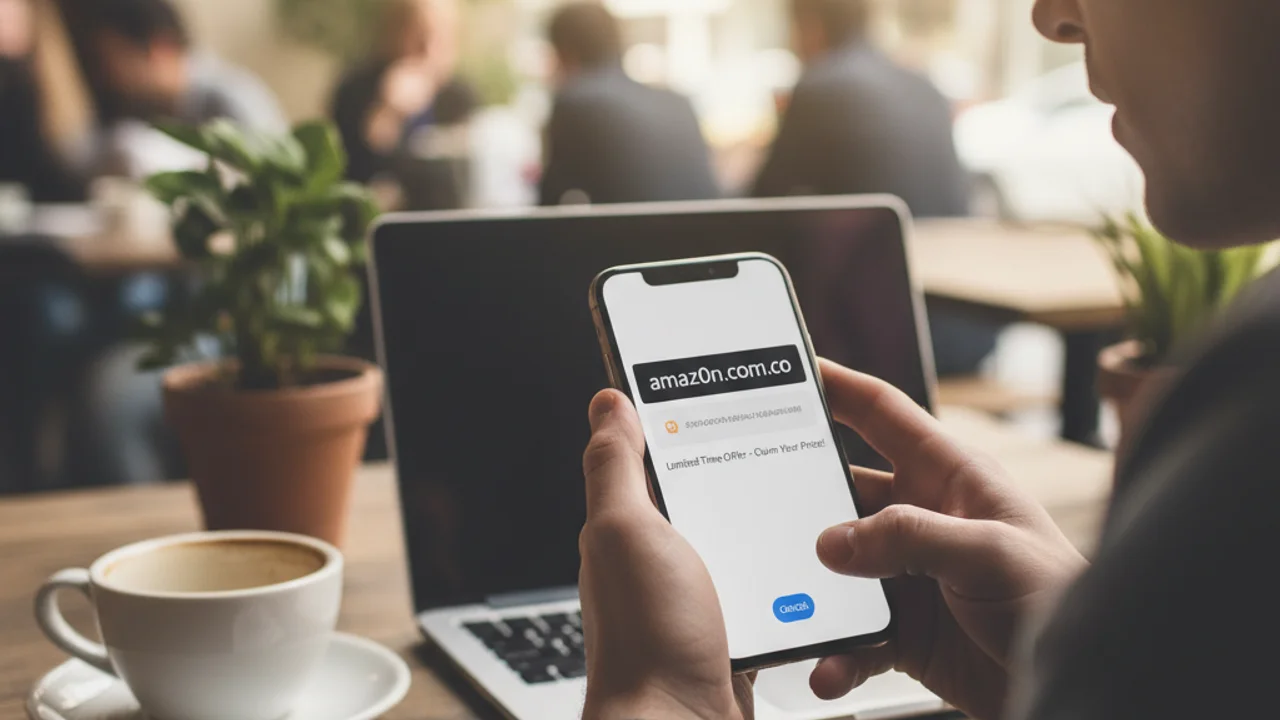
Camera apps provide minimal friction. Most smartphones automatically recognize QR codes and display a small URL preview that users instinctively dismiss without reading. The preview window is small, the URL is often long or shortened, and the brain's natural tendency to pattern-match means users frequently see what they expect rather than what is actually there. A URL like "secure-payment-parkingzone.com" reads as "parking" to a distracted user even though it signals danger to a careful one.
You arrive at a parking meter and scan the QR code. Your phone's camera shows a preview URL: 'parking-pay-secure-city.com/pay'. The meter is in a major US city. What should you do?
- Open the link immediately, it mentions the city so it must be legitimate
- Check the URL carefully: does it match your city\
- ,
- ,
Answer: Generic-sounding domains like 'parking-pay-secure-city.com' are a major red flag. Your city's official parking system will have a specific, well-known domain (e.g., paybyphone.com or your city's official.gov site). Always verify the destination URL matches the expected official domain before entering any payment information, or use the physical card slot if available.
The mobile context also removes many of the safety tools people have on desktop computers. Corporate endpoint protection, browser extensions that flag phishing sites, and the habit of hovering over links to preview them do not translate to mobile. On a phone, the user is largely on their own.
How to Spot a Fake QR Code
Inspect the code physically. Look for stickers placed on top of printed materials. Fake stickers often have slightly different paper stock, slight misalignment with surrounding design elements, or visible edges where the sticker overlaps printed text. Run your fingernail along the surface, a layered sticker will usually have a subtle raised edge.
Read the full URL before tapping. After your camera scans a code, a preview notification or banner appears. Stop before tapping it and read the full URL. Look for: the expected business name in the domain (not a suffix or prefix), a legitimate top-level domain (.com,.gov,.org, not unusual extensions like.xyz or.top), and the absence of extra words like "secure," "login," "verify," or "payment" tacked onto what looks like a brand name.
Be skeptical of urgency. Codes paired with language like "Scan immediately," "Limited time offer," or "Required for access" are engineered to make you act before thinking. Legitimate businesses do not typically use urgent, high-pressure language around QR payment codes.
Cross-reference with official channels. Before scanning a QR code from an email or document that claims to be from your bank, HR department, or a carrier, check whether that organization actually sent the communication by contacting them directly through their official website or app. Never use contact information provided in the same message that contains the QR code. For evaluating suspicious links and content from unknown sources, Truvizy's scanning tool can help you assess the risk before committing to any action.
Use the alternative when available. If a QR code is the only payment option at a parking meter or kiosk, consider using the physical card slot, paying via a dedicated official app you downloaded from a verified app store, or finding another method. Convenience should never override security when payment or personal information is involved.
What to Do If You Were Scammed
If you scanned a code, opened the link, and entered information, move fast. Every minute of delay gives the attacker more time to use your data.
If you entered payment card details: Call your bank's fraud line immediately (use the number on the back of your card, not any number from the suspicious site). Request a card freeze or replacement. Ask the bank to flag any charges from the moment you entered the information.
If you entered login credentials: Change your password immediately from a separate, trusted device. Enable two-factor authentication if it is not already active. Check for any unfamiliar devices or sessions logged into the account and remove them. If you use the same password elsewhere, change those too.
Place a fraud alert on your credit file with one of the three major bureaus (Equifax, Experian, TransUnion), this notifies the other two automatically. If you believe your identity has been compromised, consider a credit freeze, which is free and prevents new accounts from being opened in your name. Our comprehensive guide on identity theft prevention covers the full recovery process in detail.
Protect yourself from QR code scams and other mobile threats with AI-powered fraud detection.
Protecting Yourself Going Forward
The single most important habit is pause before you tap. The entire design of quishing relies on the fact that QR scanning feels automatic and instantaneous. Breaking that automatic response, even for two seconds to read the URL, disrupts the attack. Make it a rule: preview URL first, open second.
Use a dedicated QR scanner app that performs real-time safety checks on the decoded URL before presenting it to you. These apps, available free from major security vendors, function like a URL-checker built into your scan workflow. They are the mobile equivalent of hovering over a link before clicking.
Keep your phone's OS and browser updated. Security patches frequently close vulnerabilities that drive-by download attacks exploit when a malicious site is visited. An unpatched phone is significantly more vulnerable to the second stage of a quishing attack, even if your credentials remain safe.
Enable two-factor authentication using an authenticator app, not SMS. As we noted in our guide to smishing and text scams, SMS-based 2FA can be intercepted. An authenticator app generates codes locally on your device, making real-time relay attacks significantly harder.
Report suspicious codes wherever you find them. If you spot a sticker that looks suspicious on a public QR code, photograph the location and report it to the business or local authorities. Removing a malicious sticker within hours can protect dozens of other potential victims.
Key Takeaways
- Always read the full destination URL in your camera preview before tapping any QR code link, especially at parking meters, restaurants, and transit stops.
- Fake QR code stickers can appear over legitimate codes and are almost impossible to detect without physical inspection for overlapping edges.
- QR codes in emails bypass most corporate phishing filters, treat them with the same skepticism you would apply to any email link.
- If you entered payment or login details on a suspicious site, contact your bank immediately and change affected passwords from a separate device.
QR codes are not going away, and neither are the scammers who exploit them. As contactless payments, digital menus, and mobile-first services become more embedded in daily life, quishing will grow more sophisticated and more pervasive. The antidote is awareness: knowing that any physical QR code can be replaced, any code in an email can link anywhere, and the two seconds it takes to read a URL before tapping could be the two seconds that save you from a very expensive lesson.
Truvizy's protection plans include tools for analyzing suspicious URLs and links, paste a URL decoded from any QR code into Truvizy before opening it and get an instant AI-powered assessment of its legitimacy. In a threat landscape where scammers are hiding malicious links inside images, having a tool that checks the actual destination is no longer optional, it is essential.
Related reading: Smishing: Why That Text From Your Bank Is Probably a Scam: Text-based phishing that shares the same psychological playbook as quishing.
Related reading: Phishing Email Detection: How to identify email-based attacks, including those that use QR codes to bypass filters.
Related reading: Social Engineering Attacks: The psychological manipulation techniques behind quishing and all modern scams.
Frequently Asked Questions
What is quishing?
Quishing is QR code phishing, a scam where attackers replace or create fake QR codes that redirect victims to malicious websites designed to steal login credentials, payment information, or install malware on their device.
How can I tell if a QR code is fake before scanning it?
Inspect the code physically: look for stickers placed over an original code, damage to surrounding material, or codes that look slightly off compared to nearby ones. After scanning, always check the full destination URL in your camera app preview before tapping "open." If the URL does not match the expected business domain exactly, do not proceed.
Can scanning a QR code install malware on my phone?
Simply scanning a QR code with your camera does not install malware, but opening the resulting link can. Malicious sites can attempt drive-by downloads, credential phishing, or prompt you to install a fake app. Keep your phone OS updated, avoid allowing app installs from unknown sources, and use a QR scanner with built-in URL safety checking.
Which locations have the highest risk of fake QR codes?
High-risk locations include parking meters, restaurant tables and menus, public transit stops, package return labels, hotel lobbies, and flyers posted in public. Any unmonitored physical space where someone could replace a code overnight without detection is a potential target.
What should I do if I already scanned and entered information on a suspicious site?
Act immediately: change any passwords you entered, contact your bank if you provided payment details, enable two-factor authentication on affected accounts, and monitor your credit report. Report the incident to the FTC at reportfraud.ftc.gov and, if it was on business property, alert the business so they can replace the compromised code.