Tech Support Scams: How Fake Microsoft and Apple Calls Steal Your Money
Learn how tech support scams impersonating Microsoft, Apple, and other companies work. This guide covers cold calls, pop-up warnings, remote access fraud, and how to protect yourself and your family.
· By Truvizy Research Team · 8 min read
TL;DR
Tech support scams impersonate Microsoft, Apple, and other companies through unsolicited phone calls, fake pop-up warnings, and phishing emails to trick victims into paying for nonexistent problems. These scams often involve remote access to victims\' computers, fake virus scans, and payment through gift cards or wire transfers, with annual losses exceeding $1 billion in the US alone.
The phone rings and the caller identifies themselves as a technician from Microsoft's security department. They tell you that your computer has been compromised by a dangerous virus and that your personal data, banking information, passwords, photos, is at risk of being stolen by hackers. They sound professional, concerned, and urgent. They offer to help fix the problem right now if you will just give them remote access to your computer. Everything about the call seems legitimate. But it is not. It is a tech support scam, and if you comply, you are about to lose far more than a computer virus could ever take.
Tech support scams are one of the most persistent and financially damaging forms of consumer fraud. The FTC received over 200,000 tech support scam complaints in 2025, with combined losses exceeding $1.1 billion. The average victim loses $2,000 to $5,000, though some lose far more. And because these scams primarily target older adults and less tech-savvy individuals, the emotional toll is often as severe as the financial one.
The Tech Support Scam Epidemic
Tech support scams have been around for over a decade, but they continue to evolve. What began as crude cold calls with obvious scripts has developed into a sophisticated, multi-channel operation that uses fake websites, browser exploits, phishing emails, and social engineering techniques refined through millions of interactions. The scammers operate from organized call centers, often overseas, with scripts that account for every possible victim objection and response.
The persistence of tech support scams reflects a fundamental vulnerability: most people do not fully understand how their computers work. When an authoritative voice tells you your computer is infected, the average person lacks the technical knowledge to evaluate that claim independently. This knowledge gap is the scammer's primary weapon, and it remains effective year after year regardless of awareness campaigns.
The Cold Call: "Your Computer Is Infected"
The cold call remains the most common entry point for tech support scams. The scammer calls claiming to be from Microsoft, Apple, Dell, Norton, McAfee, or another well-known technology company. They inform you that your computer is sending error reports, has been infected with malware, or has been compromised by hackers. The caller may reference your Windows license key, IP address, or computer model to appear knowledgeable, though this information is either fabricated or generic enough to sound plausible.
The scammer then asks you to open certain Windows utilities, such as Event Viewer or the command prompt, and walks you through steps that display normal system messages. These routine logs and processes are presented as evidence of infection. "Do you see those red and yellow warnings? Those are errors caused by the virus." In reality, every Windows computer displays similar system messages as part of normal operation. The scammer is exploiting your unfamiliarity with these tools to create the illusion of a problem that does not exist.
Fake Pop-Up Warnings and Browser Lockouts
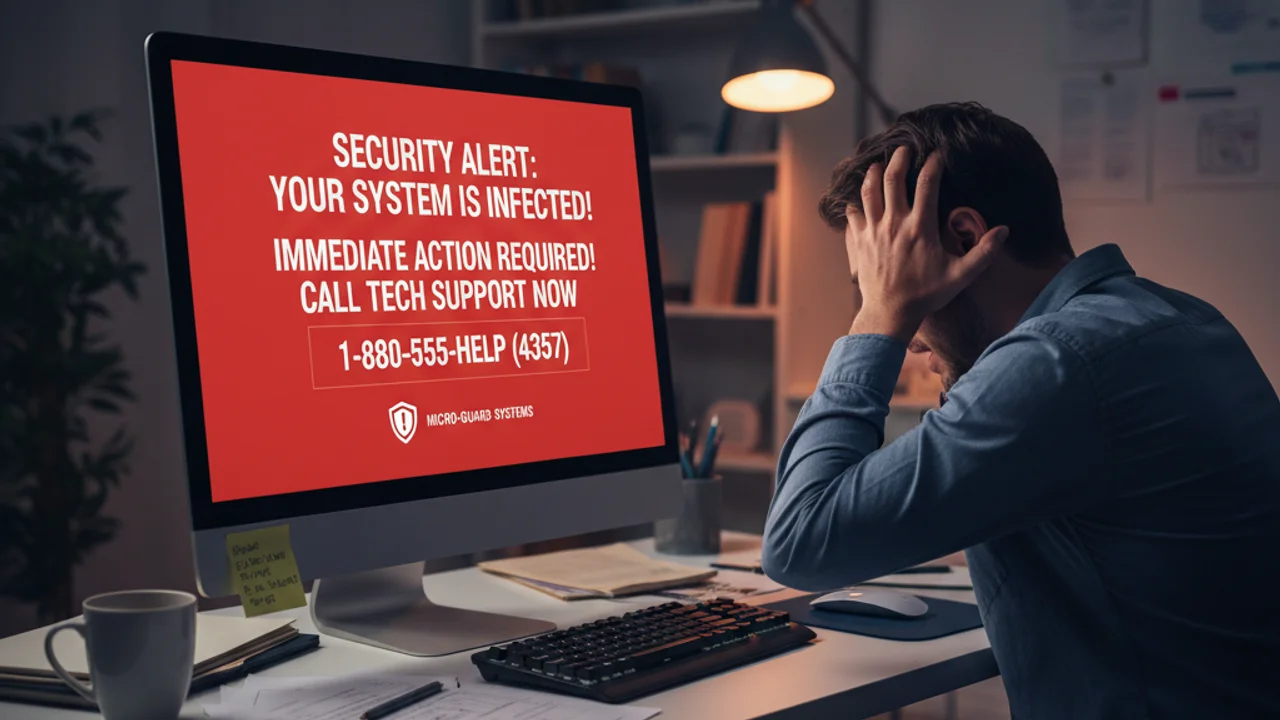
An increasingly common variant uses fake browser pop-ups that appear while you are browsing the web. These full-screen warnings mimic legitimate security alerts from Microsoft, Apple, or antivirus companies. They display alarming messages like "YOUR COMPUTER HAS BEEN LOCKED" or "VIRUS DETECTED, CALL NOW" accompanied by a toll-free phone number. Some versions play audio warnings or lock the browser so you cannot close the tab through normal means.

These pop-ups are triggered through malicious advertisements on otherwise legitimate websites, compromised web pages, or search results that lead to scam landing pages. The victim, believing their computer is genuinely infected, calls the displayed number and is connected to a scam call center. The pop-up is designed to create panic, and panic leads to compliance. This tactic exploits the same urgency-based manipulation used in phishing email attacks , adapted for a visual medium.
The Subscription Refund Scam
A newer variant begins with an email or pop-up claiming that a subscription you never purchased, often for an antivirus product or tech support service, is about to auto-renew for several hundred dollars. The message provides a phone number to call to "cancel" and receive a refund. When you call, the scammer asks for remote access to process the "refund" and then manipulates your banking interface to make it appear that an overpayment was accidentally deposited.
The scammer then frantically explains that they sent too much money, perhaps $3,000 instead of $300, and begs you to return the difference before their supervisor notices the error. In reality, no money was sent; the scammer manipulated browser elements or transferred funds between your own accounts to create the illusion of an overpayment. Victims who send the "difference" via wire transfer or gift cards lose real money to fix a problem that never existed. This social engineering approach shares the same psychological foundations as overpayment scams on Facebook Marketplace .
Got a suspicious tech support email or pop-up? Scan it with Truvizy to verify whether it is a scam.
The Danger of Remote Access
Every tech support scam ultimately aims to get remote access to your computer. Tools like AnyDesk, TeamViewer, UltraViewer, and ConnectWise are designed for legitimate remote support but are routinely exploited by scammers. Once a scammer has remote access, they control your computer as if they were sitting in front of it. They can view everything on your screen, access your files, open your browser and visit your banking sites, install software, and copy data.
The immediate risks include theft of personal documents, photos, and financial information. But the long-term risks may be worse. Scammers frequently install backdoor programs that allow them to access your computer again after the remote session ends. They may install keystroke loggers that capture every password you type. They may access your email and use it to target your contacts with further scams. The damage from a single remote access session can cascade for months.
How Scammers Extract Payment
Tech support scammers are strategic about payment methods. Gift cards are the most commonly requested because they are immediately cashable, largely untraceable, and available at any retail store. The scammer instructs the victim to purchase gift cards from Amazon, Google Play, Apple, or Target, then read the card numbers and PINs over the phone. Wire transfers through Western Union or MoneyGram are another favorite for larger amounts.
Some scammers have the victim purchase cryptocurrency through a Bitcoin ATM, following step-by-step instructions to send funds to a scammer-controlled wallet. Others access the victim's banking directly through the remote session, initiating transfers while the victim watches, sometimes distracting them with conversation while transactions process in the background.
A pop-up on your screen says 'VIRUS DETECTED - Call Microsoft Support at 1-800-XXX-XXXX.' What should you do?
- Call the number immediately to fix the virus
- Click the X button on the pop-up to close it
- Force-quit your browser using Task Manager and clear your cache
- Turn off your computer by holding the power button
Answer: Force-quitting the browser (Ctrl+Alt+Delete on Windows, Cmd+Option+Esc on Mac) is the safest approach. Do not click anything on the pop-up, including close buttons, as they may trigger malware. The phone number is operated by scammers. Holding the power button works but may cause data loss.
Who Gets Targeted
While anyone can fall victim to a tech support scam, certain demographics are disproportionately targeted. Adults over 60 account for the majority of victims and the highest average losses. This is not because older adults are less intelligent, it is because they are statistically less familiar with technical details that would reveal the scam, more trusting of authority figures, and more likely to answer unsolicited phone calls.
However, younger victims are increasingly targeted through pop-up and phishing variants. The subscription refund scam, in particular, catches victims of all ages because it does not require the victim to lack technical knowledge, it exploits the universal fear of being charged for something you did not order. No one is immune, which is why awareness matters for every age group. Using AI-powered detection tools provides an additional safety layer for identifying suspicious content regardless of your technical background.

Protect yourself and your family from tech support scams with AI-powered detection and real-time monitoring.
How to Identify a Tech Support Scam
The single most important thing to remember is that legitimate technology companies will never call you unsolicited about a computer problem. Microsoft does not call customers about viruses. Apple does not call about iCloud breaches. Norton does not call about expired subscriptions. Any unsolicited contact claiming to be from a tech company about a problem with your computer is a scam. No exceptions.
For pop-up warnings, remember that legitimate security alerts never include phone numbers to call, never lock your browser, and never use alarming audio. If you encounter a fake pop-up, do not interact with it. Force-close your browser using Task Manager or Force Quit, and clear your browser cache before reopening. For suspicious emails about subscriptions, never call the number in the email; instead, log into the service directly through your browser to check your account status.
Protection and Response Guide
Protect yourself proactively by keeping your operating system and browser updated with the latest security patches, using reputable antivirus software, enabling call blocking and spam filtering on your phone, and using an ad blocker to reduce exposure to malicious advertisements. Educate elderly family members about these scams, have a direct conversation about the fact that Microsoft and Apple will never call them, and that they should never give anyone remote access to their computer.
If you have already fallen victim, take immediate action. Disconnect your computer from the internet. From a different device, change passwords for your email, banking, and social media accounts. Contact your bank to flag any unauthorized transactions. Uninstall any remote access software the scammer installed. Run a full malware scan with a reputable antivirus program. If the scammer accessed your financial accounts, consider placing a fraud alert or credit freeze.
Report the scam to the FTC at reportfraud.ftc.gov, to the FBI's IC3, and to the company that was impersonated (Microsoft has a dedicated reporting page for tech support scams). If you paid with gift cards, contact the gift card company immediately, some have fraud teams that can freeze remaining balances. Explore comprehensive protection solutions that provide real-time monitoring and AI-powered analysis of suspicious calls, emails, and web content. As tech support scams continue to evolve, layered defense, combining awareness, technology, and family communication, remains the most effective strategy for protecting the people who rely on the technology that scammers exploit.
Key Takeaways
- Microsoft, Apple, and other legitimate tech companies will NEVER call you unsolicited about computer problems. Any such call is always a scam.
- Never give remote access to your computer to someone who contacted you. Legitimate tech support only provides remote help when you initiate the contact.
- If you encounter a browser pop-up with a phone number, force-quit the browser and clear your cache. Never call the number or click anything on the pop-up.
- Have a direct conversation with elderly family members about tech support scams, they are the primary targets and the most vulnerable to these schemes.
Related reading: Phishing Email Detection: Recognize phishing emails that often accompany or lead to tech support scams.
Related reading: Social Engineering Attacks: The psychological manipulation techniques that power tech support fraud.
Related reading: How to Report an Online Scam: Step-by-step guide to reporting tech support scams to the FTC, FBI, and platforms.
Frequently Asked Questions
How do tech support scams work?
Tech support scams typically begin with an unsolicited phone call claiming your computer is infected, a pop-up browser warning that looks like a real security alert, or a phishing email about a subscription renewal. The scammer then convinces you to grant remote access to your computer, runs fake diagnostic scans that "find" problems, and charges hundreds or thousands of dollars for unnecessary repairs.
Will Microsoft or Apple ever call me about a computer problem?
No. Microsoft, Apple, and other legitimate technology companies will never make unsolicited calls to inform you about computer problems, viruses, or security issues. They do not monitor individual computers for infections. Any unsolicited call claiming to be from these companies is a scam. Period.
What happens if I give a tech support scammer remote access to my computer?
With remote access, scammers can install malware, steal personal files and passwords, access your email and banking accounts, install keystroke loggers to capture future activity, and plant software that allows ongoing unauthorized access even after the remote session ends. If you have given a scammer remote access, immediately disconnect from the internet, change all passwords from a different device, and run a reputable malware scan.
How do I remove a fake tech support pop-up?
Do not click anything on the pop-up, including close buttons. Instead, force-quit your browser using Task Manager (Ctrl+Alt+Delete on Windows) or Force Quit (Command+Option+Esc on Mac). Clear your browser cache afterward. If the pop-up persists, restart your computer in safe mode and run a malware scan. Never call the phone number displayed on the pop-up.
Can I get my money back from a tech support scam?
Recovery depends on how you paid. Credit card charges can be disputed through your bank. Wire transfers and cryptocurrency are extremely difficult to recover. Gift card payments can sometimes be partially recovered by contacting the gift card issuer. File reports with the FTC, your state attorney general, and the FBI IC3, and report the scam to the company that was impersonated.