"Is This Email a Scam?" How to Tell in 5 Seconds
Learn the 5-second method to identify scam emails instantly. Covers sender spoofing, urgency tactics, suspicious links, and the exact red flags that expose phishing attempts in 2026.
· By Truvizy Research Team · 8 min read
TL;DR
Most scam emails share five universal red flags: a mismatched sender address, manufactured urgency, suspicious links, requests for personal information, and generic greetings. Checking these in order takes under five seconds and stops the vast majority of phishing attempts before they can cause damage.
You get an email from your bank. Your account has been suspended. There is a link to verify your information immediately or face permanent closure. Your heart rate spikes. You hover over the link, it looks right. You almost click. But something feels off. Is this email a scam? You have about five seconds before fear and habit make the decision for you.
Phishing is the most common cyberattack vector in the world, and the most profitable. What makes it so effective is not technical sophistication but psychological precision. Scammers have refined the art of impersonation, urgency, and deception to a science. The good news is that once you know the five-second checklist, you will catch the vast majority of scam emails before they get anywhere near your personal information.
The 5-Second Scam Email Check
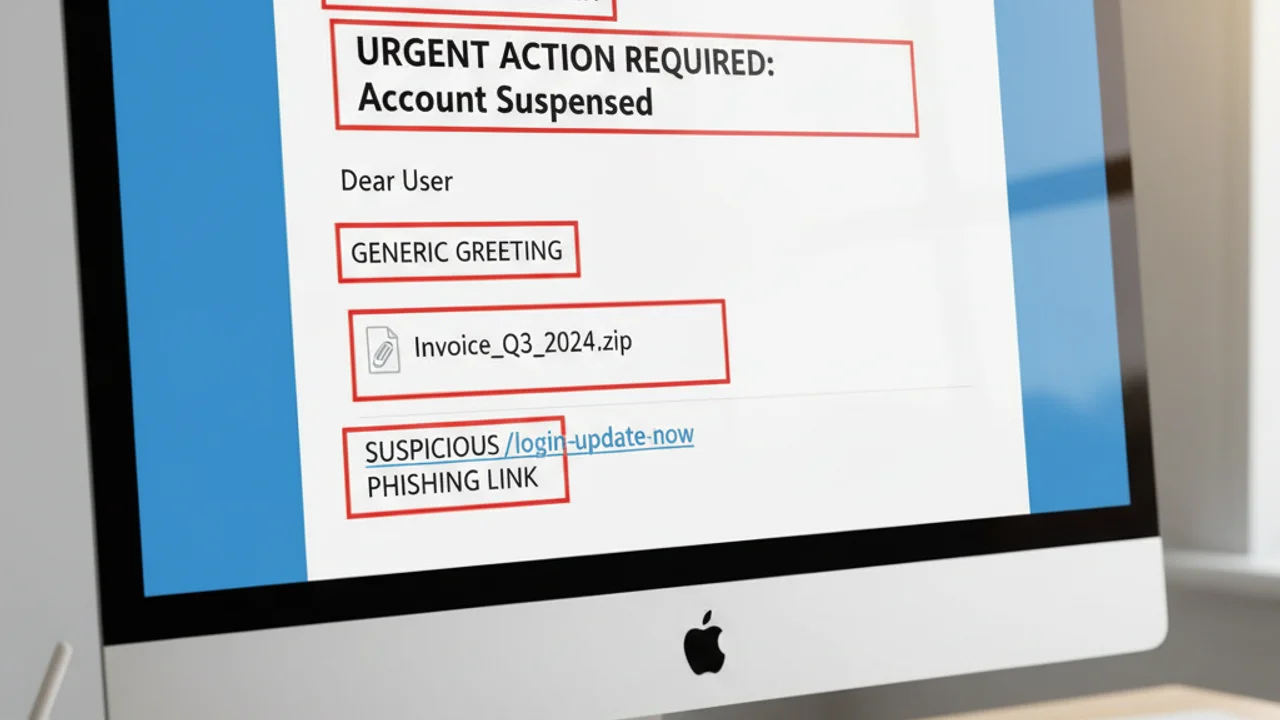
Every suspicious email deserves the same five-second evaluation before you click anything. These checks, performed in order, will identify most phishing attempts:
1. Who actually sent this? Click or hover over the sender's name to reveal the actual email address. Ignore the display name entirely, it can say anything. Focus on the domain after the @ symbol. chase-alert@secure-banking-verify.com is not Chase Bank, no matter what the display name says.
2. Is it creating urgency? Words like "immediately," "within 24 hours," "suspended," "urgent action required," or "final notice" are manufactured pressure designed to stop you from thinking. Real companies rarely threaten immediate catastrophic consequences in routine emails.
3. Does it know your name? "Dear Customer," "Dear User," or "Dear Account Holder" means the sender does not know who you are. Your bank knows your name. Scammers sending bulk emails do not.
4. Where do the links actually go? Hover over any link without clicking. The URL that appears in the bottom of your browser is where you would actually land. If the visible link text says "paypal.com" but the hover URL shows something else, that is a phishing link.
5. Is it asking for sensitive information? No legitimate company sends emails asking you to reply with your password, Social Security number, or full credit card details. Not banks, not the IRS, not tech support.
Sender Spoofing: The Display Name Trick
The most universally exploited weakness in email phishing is the gap between the display name and the actual sending address. Email clients like Gmail, Outlook, and Apple Mail are designed to show a friendly display name, "Chase Bank," "Netflix," "Your IT Team", rather than the raw email address. Scammers exploit this by setting their display name to whatever company they are impersonating while sending from a completely unrelated domain.
A phishing email might show "PayPal Security" in the from field while the actual address is paypal-alert@mail-verify.xyz. Most people read the display name and stop there. The actual address is where the truth lives.
Real organizations send from their actual domains. Chase emails come from @chase.com. PayPal emails come from @paypal.com. Amazon emails come from @amazon.com. There are no legitimate reasons for your bank to email you from a third-party domain with "bank" or "secure" or "verify" in the name.
The complete guide to phishing email detection covers the full range of spoofing techniques in detail, including homograph attacks that use visually identical characters from different alphabets.
Urgency and Fear: How Scammers Short-Circuit Your Judgment
The entire architecture of a phishing email is designed to bypass your rational mind and trigger your threat-response system. When you are afraid, you act fast. When you act fast, you do not verify. Scammers know this better than most psychologists.
The most common fear triggers in scam emails: account suspension or termination, unauthorized access detected, legal action or IRS investigation pending, package unable to be delivered, prize or refund about to expire. Each of these creates a specific emotional state, fear, anxiety, greed, or irritation, that overrides caution.
The time pressure is artificial. Your account will not actually be deleted in 24 hours because you have not clicked a phishing link. The IRS does not send "final notice" emails with countdown timers. When you feel rushed, stop. Open a new browser tab. Contact the company directly. The urgency disappears the moment you verify through an independent channel.
Suspicious email with a link you want to check? Scan URLs before clicking to verify they are safe.
Links and Attachments: Where the Real Damage Happens
Clicking a phishing link does not automatically steal your information, it takes you somewhere designed to collect it. The destination is typically a near-perfect replica of a legitimate login page. You type your credentials, the page says "verification successful," and redirects you to the real website as if nothing happened. Meanwhile, your username and password have been captured.
More sophisticated attacks use what security researchers call a "man-in-the-middle" approach: the fake page relays your credentials to the real site in real time, capturing your session token and bypassing two-factor authentication. You log in successfully, see your actual account, and never suspect anything went wrong.
The hover-to-preview technique works for most desktop email clients. On mobile, press and hold a link to see the destination URL before it loads. If the visible link text and the actual destination URL do not match, especially if the actual URL contains random strings, hyphens, or unfamiliar domains, do not click.
QR codes in emails are a growing attack vector that bypasses link preview entirely. The guide to QR code scams explains how these attacks work and why they are increasingly used in phishing campaigns targeting corporate employees.
You receive an email with the display name 'Netflix' saying your subscription failed and you need to update payment. The actual sending address is netflix-billing@secure-update.net. What do you do?
- Click the update link, the display name says Netflix so it must be real
- Ignore it, your subscription is probably fine
- Open Netflix.com in a new tab and check your account status directly
- Reply to ask if the email is legitimate
Answer: The actual sending address (secure-update.net) is not a Netflix domain. Never click links in emails like this. Always navigate directly to the real website in a new browser tab to check your account status. Never reply to suspected phishing emails, it confirms your address is active.
AI Phishing in 2026: Why Old Rules No Longer Work
For years, the standard advice for spotting phishing emails included checking for poor grammar, spelling mistakes, and awkward phrasing. That advice is now dangerously outdated. AI writing tools have eliminated these tells from modern phishing campaigns. Today's scam emails are grammatically flawless, contextually coherent, and often indistinguishable from legitimate corporate communication in terms of writing quality.
AI has also enabled spear phishing at scale, highly personalized attacks that reference your actual name, company, recent purchases, or public social media activity. A scam email that says "Hi Sarah, regarding your recent Amazon order #113-7283942" is far more convincing than a generic "Dear valued customer" message. Scammers scrape this data from data breaches, social media, and public records.
Voice cloning has extended phishing beyond email. The same techniques that make email phishing convincing are now being applied to phone calls, AI-generated voices that sound exactly like a bank employee, IT support representative, or even a family member. Our analysis of AI voice cloning scams covers how these attacks work and the defenses that still hold.
Advanced AI fraud is getting harder to detect manually. Automated detection tools provide a critical second layer of protection.
What to Do If You Already Clicked
Clicking a phishing link does not mean the damage is done. What matters is what happens next. If you clicked but did not enter any information on the page you landed on, close the tab and run a security scan on your device. The risk is low but not zero, some exploit kits can attempt to install malware through browser vulnerabilities simply by visiting the page.
If you entered a username or password: change that password immediately, using a different device if possible. Enable two-factor authentication if you have not already. Check your account for any unauthorized activity. If the phishing email impersonated your bank and you entered financial credentials, call the bank directly using the number on the back of your card, not any number provided in the email.
If you entered your Social Security number, credit card number, or other highly sensitive identity information: contact all three credit bureaus (Equifax, Experian, TransUnion) to place a fraud alert or credit freeze. File a report with the FTC at reportfraud.ftc.gov. Contact your bank proactively even if you have not seen unauthorized activity.
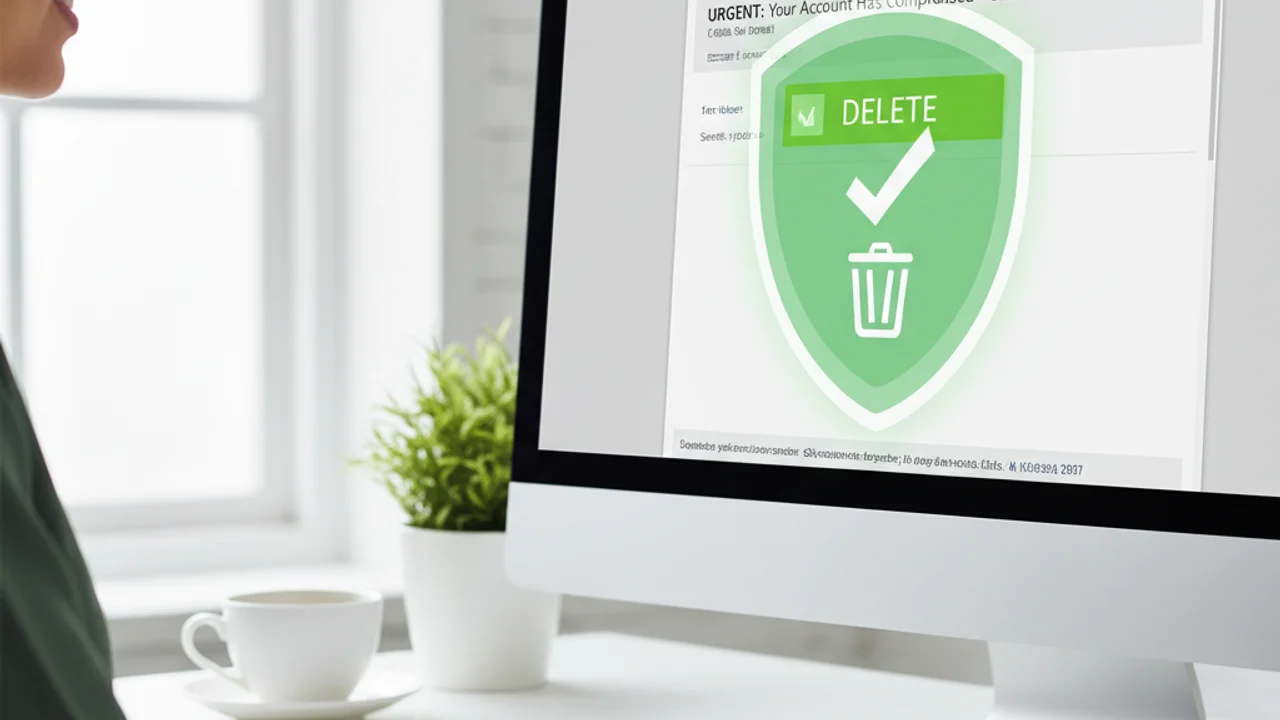
Report the phishing email before deleting it. Gmail users can click the three-dot menu and select "Report phishing." In Outlook, use the "Report message" button. Forward suspected phishing to phishing@reportphishing.antiphishing.org and to the company being impersonated (most major banks and tech companies have a dedicated phishing report address like phishing@chase.com or spoof@paypal.com).
Key Takeaways
- Always check the actual sending address, not just the display name, before trusting any email.
- Urgency is a manipulation tactic: slow down when an email tries to rush you, do not speed up.
- Never click email links to log into accounts, open a new tab and navigate to the site directly.
- AI has eliminated bad grammar as a phishing signal; verify sender domains and link destinations instead.
Related reading: Complete Guide to Phishing Email Detection: In-depth coverage of all phishing techniques including spear phishing, whaling, and business email compromise
Related reading: Smishing: Text Message Scam Detection: The same tactics used in email phishing are now targeting SMS, here is how to spot them
Related reading: Tech Support Scams: How fake Microsoft and Apple support emails and calls steal money from millions each year
Frequently Asked Questions
How can I tell if an email is a scam without clicking anything?
Check the sender address (not just the display name), look for urgency language like "act now" or "account suspended," hover over links without clicking to see the real destination URL, and check whether the greeting uses your actual name. These four checks take under 10 seconds and catch most phishing emails.
Can scammers fake the sender email address to look like my bank?
Yes. Email spoofing allows scammers to make the "From" name display as "Chase Bank" or "PayPal" while the actual sending address is completely different. Always check the actual email address by clicking or hovering the sender name, not just reading the display name.
What should I do if I already clicked a link in a suspicious email?
Do not enter any information on the page you landed on. Close the browser tab immediately. Run a security scan on your device. Change the password for any account the email claimed to be about. If you entered login credentials, contact that company directly through their official website immediately.
Are AI-generated phishing emails harder to spot in 2026?
Yes. AI-written phishing emails have eliminated the obvious spelling mistakes and poor grammar that once made scam emails easy to spot. Modern phishing emails are grammatically perfect and can even mimic the specific writing style of someone you know. Focus on verifying sender addresses and link destinations rather than content quality.
What is the safest way to check if an email from my bank is real?
Never click links in the email. Open a new browser tab and type your bank's web address directly. Log in and check for any actual notifications. If there is no matching alert in your account, the email was a scam. You can also call the number on the back of your debit card to verify.